![1000X162.png]](https://kb.systemology.com/hs-fs/hubfs/1000X162.png?width=250&height=43&name=1000X162.png)
📝 When to Use Notify for Review
Notify for Review is the "please review my draft" workflow, which is different from the regular Notify button that announces a finished update.
Use this specific workflow when:
- You have drafted a new system and want input before publishing it to the wider team.
- You are proposing a change to an existing policy and need stakeholder approval.
- You want a senior team member to fact-check the steps before the system goes live.
🚀 How It Works
- Open the system, policy, or training document in edit mode.
- Click the Notify for Review button.
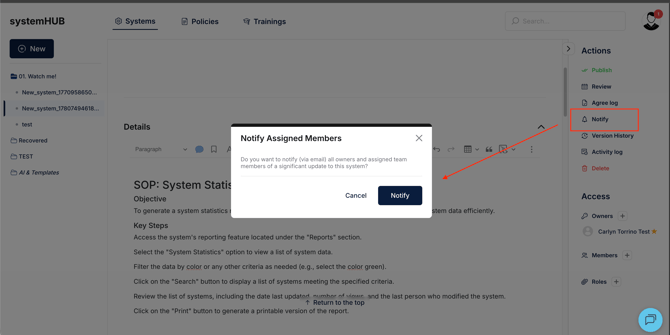
- Pick the reviewers, choosing the specific team members who should look at it.
- Add a note in the description field detailing what specific sections you want feedback on.
- Click Send.
Reviewers will instantly receive an email and an in-app notification. They can then open the document and leave comments inline.
🔄 Tracking Review Status
Once feedback is coming in, you can easily monitor your approval pipeline:
- Open the system document.
- Click the Reviewers tab to view your tracking dashboard.
- From this dashboard, you can see:
- Exactly who was asked to review.
- Who has completed their review.
- Who has not responded yet.
- Specific comments left by each reviewer.
Once the feedback is collected, you can incorporate the suggested changes and click Publish, or send out another review round if required.
💡 Pro Tip: If reviewers are running late, you can send a friendly reminder to non-responders with a single click from the Reviewers tab.
🎉 You're All Set!
You now know how to collaborate safely on drafts using the Notify for Review process. Gathering feedback before publishing ensures your documentation remains highly accurate, compliant, and approved by key stakeholders.